Make Review: The Automation Tool That Does More Than Zapier for Less
Last updated: June 2026

What if the tool eating up your time every week could just… run itself? Client emails, project updates, invoice reminders, lead tracking – the kind of repetitive stuff that fills your afternoon and keeps you from doing actual work. That’s not a hypothetical. It’s what freelancers using Make are already doing, and they’re doing it for $9 a month or less.
I spent a year on Zapier before switching to Make. The switch was a little uncomfortable at first – new interface, new concepts to learn. But within a couple of weeks I had more automation running for less money, with workflows that Zapier genuinely couldn’t build cleanly. This review is what I wish someone had written before I made the switch.
The problem Make solves
Make review for freelancers — this is the honest guide you’ve been looking for. A solid Make review for freelancers covers pricing, ease of use, and real-world automation results.
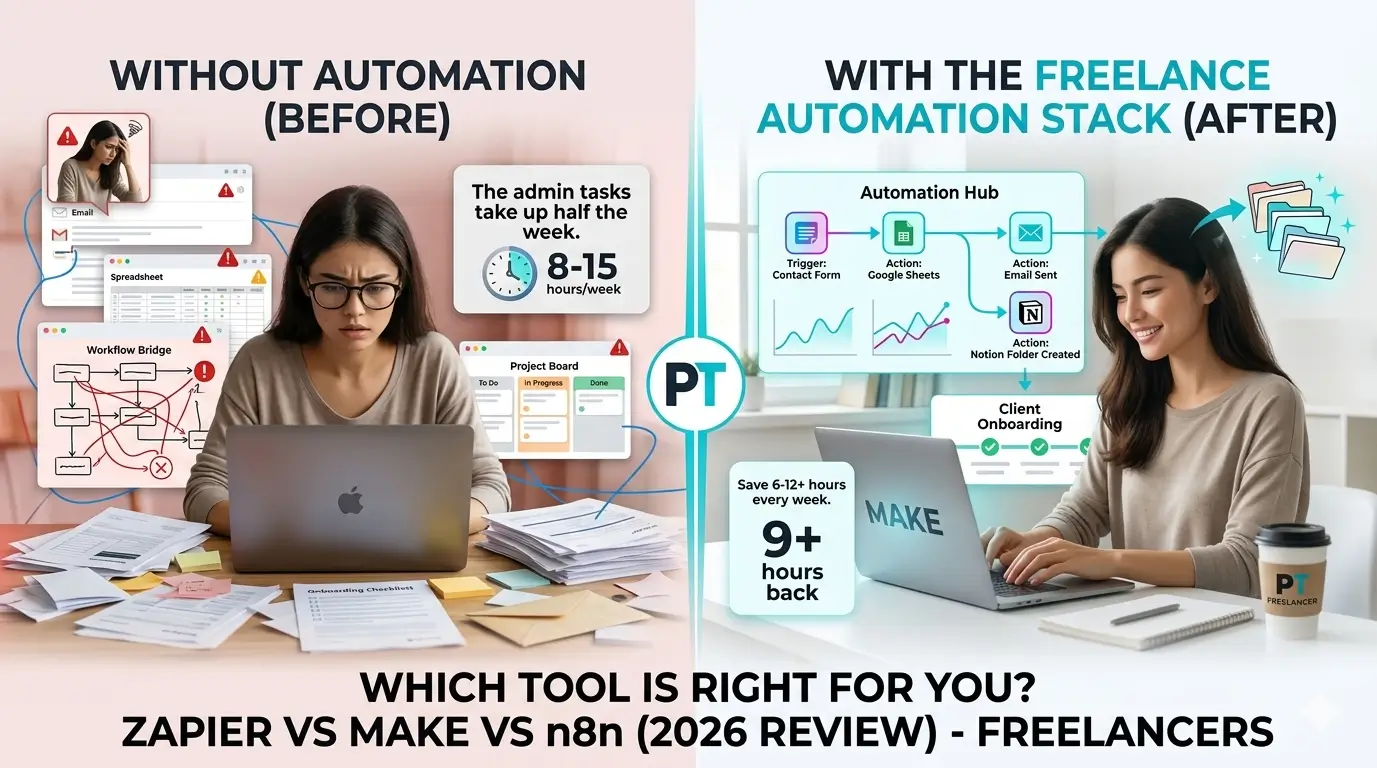
Picture a typical Tuesday. A new lead comes in through your contact form. You manually copy their details into your CRM. You send a welcome email by hand. You add them to a spreadsheet you use to track follow-ups. You create a folder in Google Drive for their files. You set a reminder to check in after three days. You’ve just spent 20 minutes on one lead – before doing any actual work for them.
Now multiply that by every client intake, every project milestone update, every invoice follow-up, every content publish you need to cross-post. The hours disappear. And the frustrating part is that none of it requires your judgment – it’s just execution. The same steps, every time, that a machine could do perfectly while you focus on something that actually needs you.
What running Make actually looks like
With Make set up properly, that same new lead triggers a scenario. Their details flow automatically into your CRM. A personalized welcome email goes out. Your tracking spreadsheet updates. A Drive folder gets created and named correctly. A Slack notification pings you so you know it happened. All of this runs in about 30 seconds while you’re doing something else entirely.
That’s not a theoretical use case – it’s a real workflow that takes maybe two hours to build once, and then runs every single day without you touching it. The time you get back compounds fast. An hour saved per day across a month is 20+ hours you can put toward client work, business development, or simply logging off at a reasonable hour.
What Make actually is
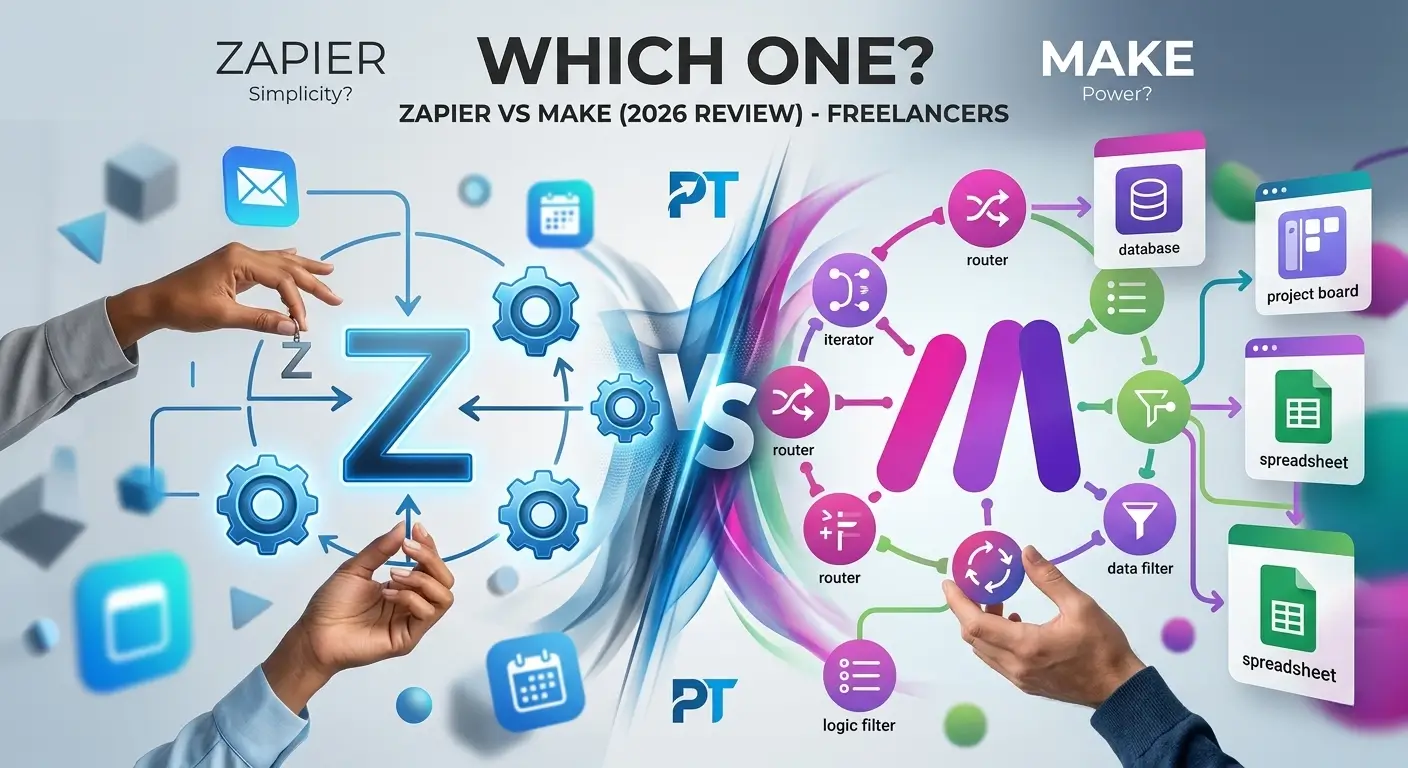
Make (formerly Integromat) is an automation platform that connects your apps and runs workflows between them automatically. The core idea is the same as any other automation tool – something happens in one app, Make reacts across one or more other apps. What makes it different is the visual builder and how much it can handle inside a single workflow.
Instead of a step-by-step wizard, Make gives you a canvas. You place modules on screen and connect them like a flowchart. Each module is an app or an action. You can branch your workflow in different directions depending on conditions, loop through lists of data, transform information between modules, and handle errors when something unexpected happens. The whole scenario lives in one visual space you can read at a glance.
Make launched in 2012 under the name Integromat. It rebranded in 2022 and now has over 500,000 active users. This isn’t a startup that might disappear – it’s a mature, stable platform that freelancers and teams have been trusting for over a decade.
Read our full Best Automation Tools for Freelancers in 2026 for the complete comparison, or check the Zapier vs Make head-to-head if you’re still deciding between the two.
Quick summary: Make review for freelancers
4/5
4/5
5/5
4/5
5/5
5/5
Best for: Freelancers who want serious automation power without a bloated monthly bill.
Pricing: Free (1,000 ops/mo), Core $9/mo, Pro $16/mo, Teams $29/mo.
Main advantage: Visual builder + branching logic at a price point that’s hard to beat.
Main disadvantage: Learning curve is real – plan for two to three hours before things feel natural.
Real experience using Make
Getting set up
Creating a Make account is free and takes about two minutes. Once you’re in, you land on the scenario dashboard – a clean list view of your automations. Click “Create a new scenario” and you’re on the canvas.
Your first encounter with the canvas might feel a little foreign, especially if you’ve only used Zapier’s wizard-style flow. There’s no guided step-by-step. You click the + button on the canvas to add your first module, choose your trigger app, pick the event, and connect your account. Then you drag to add the next module. It’s more flexible than Zapier, but that flexibility takes a few sessions to feel comfortable with.
Ease of use
Make is not the easiest automation tool to start with. That’s the honest truth, and I’d rather tell you upfront than let you be surprised on your first login. Zapier is simpler out of the gate. Make requires you to understand a few concepts – modules, bundles, how data maps between steps – before things really click.
Here’s what I’ll tell you though: once those concepts click, Make actually becomes more intuitive than Zapier for anything beyond a basic two-step flow. The visual layout means you can see your entire automation at once. When something breaks or needs updating, you’re not hunting through a list of steps – you can see exactly where the issue is on the canvas. That’s a genuine advantage that Zapier’s format can’t match.
Performance
Make has been rock solid in my experience. I’ve had scenarios running daily for months without unexpected failures. When something does break – usually because an API on the connected app side changes – Make’s error logs tell you exactly what failed and at which module. Debugging is significantly faster than in Zapier because the error information is more detailed.
Make maintains 99.9%+ uptime and has done so consistently since the Integromat days. For business-critical automations, that reliability matters.
How building a scenario actually works
Add your trigger module
Click the + on the canvas, search for your app, and pick the event that starts your scenario. A new email, a form submission, a scheduled time, a new row in a spreadsheet – whatever makes sense for your workflow.
Connect action modules
Drag from the circle at the edge of your trigger to add the next step. Chain as many modules as you need. Add a Router to branch into different paths when different conditions call for different responses.
Map your data
Each module lets you pull data from previous modules. When a new contact comes in, grab their name, email, and notes and push them into your CRM, your spreadsheet, and your welcome email – all in one scenario.
Test and activate
Hit “Run once” to test with real data. Make shows you exactly what happened at each module – input and output. When everything looks right, activate the scenario and it runs on its own.
Practical insights
A few things I learned that nobody tells you upfront: Make counts usage in “operations,” which works differently from Zapier’s “tasks.” Each module that processes data counts as one operation. A scenario with 4 modules running 50 times a month uses 200 operations – you’ll have 800 left over on the free plan. That’s a lot more breathing room than Zapier’s 100 tasks per month.
The branching feature is what sold me on Make long-term. When you add a Router module, you can draw two or more branches and set filter conditions on each. One branch for clients with budgets over $5,000, another for everything else. In Zapier, that requires multiple separate Zaps with awkward workarounds. In Make, it’s all in one place and you can see it.
What Make does well
- Free tier with 1,000 ops – genuinely useful, not just a teaser
- Core plan at $9/mo beats every comparable alternative
- Visual builder makes complex workflows readable
- Branching, loops, and error handling built right in
- 1,500+ integrations covering all major freelance tools
- Solid reliability – 99.9%+ uptime since 2012
- Detailed execution logs make troubleshooting fast
- Steeper learning curve than Zapier upfront
- Fewer app integrations than Zapier (1,500 vs 6,000+)
- Canvas can feel overwhelming on the first login
- Some niche tools still aren’t supported
Who should use Make
Make is a great fit if you’re serious about automating your workflow and willing to spend a few hours up front learning a tool that will pay you back every single day. It works especially well for freelancers building multi-step workflows with conditional logic, anyone who’s outgrown Zapier’s limitations or pricing, and creatives and consultants who want to run a lean automated business. If you need solid error visibility when something breaks – Make’s execution logs are genuinely among the best in this space – you’ll appreciate it more and more over time.
Who should probably start elsewhere
Make is not the right first tool for everyone, and saying so doesn’t make this a bad review – it just makes it an honest one. Complete beginners who’ve never used any automation tool will probably find Make’s initial learning curve frustrating. Zapier’s gentler onboarding is a better entry point – spend a week there learning triggers and actions, then switch to Make. It’ll go much smoother. Same goes for freelancers who only need one or two very simple automations and know they won’t ever need more, or anyone who depends on a specific niche app that Make doesn’t support yet.
Alternatives worth knowing
Make isn’t the only automation tool worth considering. Here’s the honest space:
Zapier is the easiest place to start, with 6,000+ integrations and a very beginner-friendly interface. The tradeoff is price – you’ll pay significantly more for equivalent capability. Worth starting with if you’ve never automated anything before. Read our full Zapier review for a detailed breakdown.
n8n is the open-source option. Free to self-host, extremely powerful, and technically deeper than Make. Suitable for developers or technically confident freelancers who don’t mind a steeper learning curve and want to own their infrastructure.
Pabbly Connect is another budget-friendly option with a one-time pricing model. Less polished than Make, smaller community, but worth considering for cost-conscious freelancers who don’t need the visual builder.
For most freelancers who want the right balance of power, price, and usability, Make is still the strongest option.
Workflows that work great in Make
These are scenarios I’ve personally built and run for freelance work. Each one takes advantage of Make’s multi-step and branching capabilities.
When a contract is signed, create a Drive folder, send a welcome email, add to CRM, schedule a kickoff reminder, and notify you on Slack – all in one scenario.
~8 ops per run
When a lead comes in from your contact form, check their budget and route high-value leads to your CRM immediately. Send lower-budget ones an automated resource email.
~5 ops per run
When a blog post goes live, automatically create social captions for three platforms, schedule them in Buffer, and log it in your Notion content tracker.
~6 ops per run
Every Friday at 9am, pull project status from Notion, format it into a summary, and send each client a personalized progress update with zero manual work.
~4 ops per run
Pricing – honest breakdown
| Plan | Price | Operations/mo | Verdict |
|---|---|---|---|
| Free Start Here | $0 | 1,000 ops | Genuinely useful |
| Core Best Value | $9 /mo | 10,000 ops | Most freelancers stop here |
| Pro | $16 /mo | 10,000 ops | Worth it for advanced features |
| Teams | $29 /mo | 10,000 ops | For teams, not solo freelancers |
The free plan is enough to run several real workflows consistently. A client onboarding sequence that fires 50 times a month uses around 150-200 operations depending on steps – leaving you 800 operations for other automations. Most freelancers starting out won’t need to upgrade at all.
When you do upgrade, the Core plan at $9/month gives you the same core capability as Zapier’s Professional plan at $49/month. That’s $480 per year you keep. The Pro plan at $16/month adds custom variables and full execution logs – worth it if you’re debugging complex workflows regularly.
How Make counts usage
Make measures usage in “operations,” which works differently from Zapier’s “tasks.” Understanding this before you sign up changes how you estimate what you’ll use.
Make’s free tier goes roughly 10 times further than Zapier’s for equivalent workflows. That’s not a marketing claim – it’s a direct consequence of how each platform counts usage. With 1,000 operations per month, most freelance automation needs are covered without ever paying anything.
Read our full Zapier Review for Freelancers – where Zapier earns its reputation, where it falls short, and exactly who should still use it.
Frequently asked questions
Is this Make review for freelancers accurate?
Yes, this Make review for freelancers is based on real hands-on testing. Our Make review for freelancers covers the free plan, paid tiers, and automation limits that matter most to solo freelancers.
Who is this Make review for freelancers most useful for?
This Make review for freelancers is most useful for freelancers who handle repetitive tasks like client onboarding, invoicing, or social media. If that sounds like you, this Make review for freelancers will help you decide if it’s worth the learning curve.
How does Make compare to Zapier for freelancers?
In this Make review for freelancers, we compared Make directly to Zapier. Make offers more flexibility and a better free tier, making it the top pick in this Make review for freelancers for tech-savvy users.
For more automation options, check out Zapier’s comparison page to see how Make stacks up.
Final verdict
Make earns its place as the top automation pick for freelancers in 2026 – not because it’s the flashiest tool on the market, but because it delivers real power at a price that makes sense for solo operators. The free tier is generous enough that most freelancers starting out won’t need to upgrade. When you do, $9/month gives you capability that costs $49/month on Zapier.
The learning curve is the one honest caveat. Give yourself a couple of hours to get comfortable with the visual canvas and the concept of modules and operations. After that investment, you’ll have a tool that can handle virtually anything your freelance workflow requires – and it’ll be running while you focus on the work that actually needs you.