ClickUp vs Asana for Freelancers: I Used Both and Here’s the Honest Verdict
Last updated: June 2026
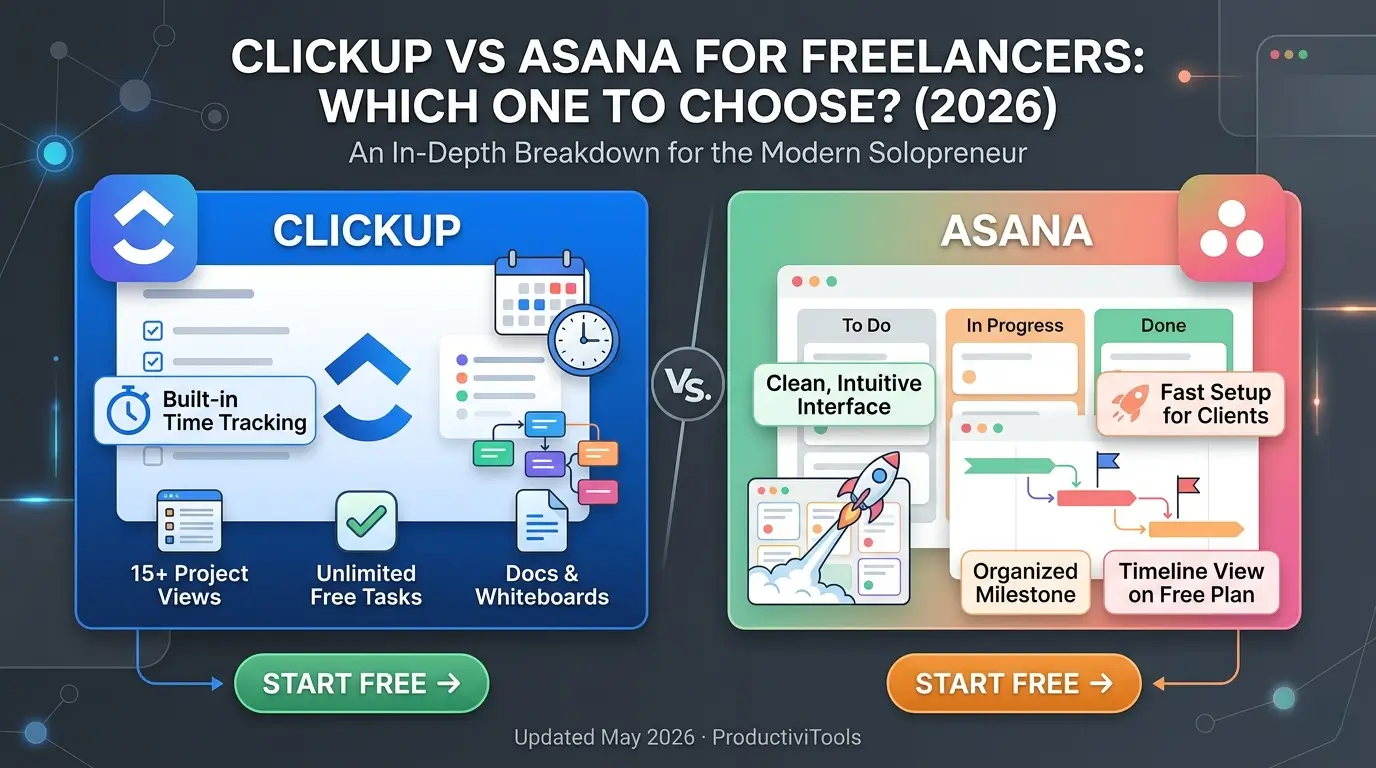
ClickUp wins for most freelancers – its free plan is genuinely unlimited, it includes built-in time tracking, and you get 15+ project views without paying a cent. Asana is the better pick if you want a cleaner, less overwhelming interface or regularly collaborate with agency clients who already use it. Read on for the full breakdown before you decide.
You’ve been going back and forth, haven’t you?
Looking for the best clickup vs asana for freelancers information? This guide gives you everything you need. We cover the top choices for clickup vs asana for freelancers based on real testing, so you can pick the right option with confidence.
This guide covers everything about clickup vs asana freelancers. Whether you are comparing options or looking for a detailed review, we break down the best clickup vs asana freelancers options so you can decide with confidence.
You’ve had at least a dozen browser tabs open comparing ClickUp and Asana. You’ve read three blog posts that all say different things. You watched a YouTube video that made ClickUp look incredible and then another that made Asana look like the obvious winner. Now you’re more confused than when you started.
This is one of the most common decisions in the freelance productivity space – and it’s frustrating precisely because both tools are genuinely good. They’re not easy to dismiss. The question isn’t “which one is better in the abstract” – it’s which one fits how you actually work.
Why this decision actually matters
Picking the wrong project management tool isn’t just an inconvenience. It slows you down in ways that compound quietly. You spend time fighting the interface instead of doing client work. Your workflow stays fragmented across multiple apps because your tool doesn’t handle one critical thing – like time tracking. Clients get confused by the platform you shared with them and start emailing you instead. And six months in, you realize you’ve wasted time on a system that doesn’t fit, which means starting over with another learning curve.
For freelancers, this hits harder than it does for employees with IT departments and onboarding budgets. You’re making this decision alone, and the cost of getting it wrong – in time, energy, and subscription fees – lands entirely on you.
The good news: this doesn’t have to be a gamble. I’ve spent six months using both ClickUp and Asana on real client work – content calendars, web design sprints, SEO retainers, and ongoing monthly deliverables. The differences that show up in real use are not the ones that show up in feature comparison charts. Let me break down what actually matters.
ClickUp vs Asana for freelancers: at a glance
| Feature | ClickUp | Asana | Winner |
|---|---|---|---|
| Free Plan | Unlimited tasks & members | Unlimited projects, some feature limits | ClickUp |
| Paid Price | $7/month (Unlimited) | $10.99/month (Starter) | ClickUp |
| Project Views | 15+ (List, Board, Gantt, Calendar, Timeline…) | 5 (List, Board, Timeline, Calendar, Gantt) | ClickUp |
| Time Tracking | Built-in, free | No native tracking (needs integration) | ClickUp |
| Docs & Notes | Full Docs feature included free | Basic task descriptions only | ClickUp |
| Automations | 100/month on free, 1,000+ on paid | 250/month on Starter plan only (paid) | ClickUp |
| Client Access | Guest access available | Unlimited guest access, all plans | Tie |
| Ease of Use | Powerful but steeper learning curve | Clean, fast to learn | Asana |
Head-to-Head – 6 rounds
Free plan comparison
The free plan is where the gap between these two tools becomes hardest to ignore. ClickUp’s free plan is genuinely unlimited – unlimited tasks, unlimited members, unlimited projects. You can run your entire freelance operation without paying anything, especially if you work solo or with a small number of collaborators.
Asana’s free plan is also quite good – unlimited projects, unlimited collaborators, and list, board, calendar, and timeline views. But it strips out automations, advanced custom fields, and reporting dashboards. You’re working with the functional core, not the full experience.
For freelancers just building their first real client workflow, ClickUp’s free tier is the stronger starting point. You can manage active clients, track time, write project docs, and switch between views – all for zero dollars. That’s a meaningful head start.
Ease of use
ClickUp has a real learning curve. The first time you open a ClickUp workspace, you’re looking at Spaces, Folders, Lists, Views, Docs, Dashboards, Whiteboards, and a sidebar that can genuinely feel like a lot. The power is there – but it takes real time to configure it in a way that serves your workflow instead of complicating it.
Asana is deliberately simpler. The navigation makes sense within the first hour. You create a project, add tasks, assign due dates, and you’re actually running – not configuring. For freelancers who need to get organized fast, or who are onboarding a client or assistant who has never used project management software before, Asana creates far less friction.
That said, once you’ve put a few days into ClickUp and customized it properly, you’ll likely stick with it. The initial investment pays off. It’s just a bigger upfront ask.
Feature depth
ClickUp is designed to replace your entire productivity stack, and it comes close. Task management, built-in docs, time tracking, goals, dashboards, whiteboards, chat, and 15+ project views – most of them free. Asana’s feature set is thoughtfully designed but narrower by intention. Task management, subtasks, timeline view, automation rules on paid plans, solid reporting. It handles those things extremely well. But there’s no native time tracker, no docs feature, no mind map view.
For freelancers trying to consolidate subscriptions and keep their monthly costs low, ClickUp’s depth is a real advantage. One tool can replace what would otherwise cost $30 – 50/month spread across Toggl, Notion, and a basic task manager.
Pricing for freelancers
When you’re ready to upgrade, ClickUp Unlimited costs $7/month per user – unlimited storage, integrations, dashboards, guests, and advanced automations. Asana’s equivalent – the Starter plan – runs $10.99/month per user. That’s a meaningful premium for roughly comparable project management functionality. Over a year, the difference is around $48. Not a fortune, but real money when you’re watching every subscription line item as a self-employed person.
On pure price-to-value, ClickUp wins this round clearly. You get more tool for less money.
Working with clients
Both tools handle client collaboration well. ClickUp lets you invite guests to specific Spaces, Folders, or Lists with limited permissions – great for sharing a project dashboard without exposing your full workspace. Asana works the same way, and unlimited guest access on all plans (including free) is a genuine advantage over ClickUp’s free tier guest limits.
Where they differ is perception. Many design agencies and marketing teams already use Asana, so some clients will recognize the interface and feel at home immediately. ClickUp can look intimidating to clients who aren’t used to feature-dense tools. A simple Asana board often creates less friction in the client relationship than a ClickUp workspace with five active views. Neither tool offers true white-label client portals, so this round ends in a tie – both work, just with different client experience trade-offs.
Integrations and ecosystem
Both ClickUp and Asana connect with 200+ apps – Slack, Google Drive, Dropbox, Zoom, GitHub, Figma, HubSpot, and more. Both work with Zapier and Make for custom automation workflows. ClickUp’s native integrations have matured significantly in 2025 – 2026, and the built-in automation builder now handles many workflows that previously required a Zapier workaround. Asana’s integrations are well-documented and stable – they’ve had more time to mature, and major tools like Salesforce and Salesforce Marketing Cloud integrate deeply with Asana’s reporting layer.
For typical freelance workflows – syncing with Google Calendar, sending Slack notifications when tasks change, or connecting to an invoicing tool – both platforms perform equally well. This one’s a tie.
Our overall scores
What it’s actually like to use both
A week with ClickUp
When I moved a content retainer client from Notion to ClickUp, the most immediate win was time tracking. Every task now has a built-in timer – I log hours without switching apps, and at the end of the month I pull a time report that maps directly to my invoice. No more copying numbers between Toggl and a spreadsheet.
The second win was views. I use Board view during sprint planning, Calendar view to catch deadline clusters before they become problems, and List view when sharing a status update with the client. All three views look at exactly the same data – I’m just choosing how to see it. Asana can do most of this, but ClickUp gives me more options for free.
The honest downside: ClickUp took real effort to configure properly. I spent about three hours the first week building out my template space, custom statuses, and recurring task structure. If you’re ramping up on a new project and need a system running by tomorrow, that setup time stings.
A week with Asana
Asana’s biggest strength is that it gets out of your way. I used it on a brand redesign project where the client – a small agency – wanted to be actively involved in approvals. I set up the project in under 20 minutes, added them as a guest, and they were navigating it confidently within half an hour. No tutorial, no hand-holding needed.
The interface feels designed rather than engineered. Task cards are clean. The inbox manages notifications without becoming overwhelming. If you want to think less about your tool and more about the actual work, Asana delivers that better than ClickUp does.
The frustration: time tracking. I work hourly on some projects and flat-rate on others. With Asana I still had to run Toggl alongside it – two tabs open, two places to check when billing time rolls around. ClickUp eliminated that friction completely. It’s a small thing until it isn’t.
Best choice for different types of freelancers
Choose ClickUp if…
- You want the most powerful free plan available
- You need built-in time tracking for hourly billing
- You manage multiple project types – writing, dev, design
- You want to consolidate tools and cut subscription costs
- You like customizing your workspace to match exactly how you think
- You’re a solo freelancer or work with a small close-knit team
Choose Asana if…
- You value a clean interface you can use without thinking about it
- Your clients or collaborators already live in Asana
- You work in creative, design, or agency environments
- You want something fast to set up and easy to hand to a client
- Time tracking isn’t a workflow requirement
- You manage one or two ongoing projects at a time
Frequently asked questions
Why is clickup vs asana for freelancers important for freelancers?
Understanding clickup vs asana for freelancers is essential for staying competitive. The best clickup vs asana for freelancers options in 2026 help freelancers save time, impress clients, and grow their income without working more hours.
How to get started with clickup vs asana for freelancers?
Getting started with clickup vs asana for freelancers is easier than most freelancers think. Start with a free trial of the top clickup vs asana for freelancers options, test for one week, and upgrade only if it genuinely saves you time and impresses clients.
What is the best clickup vs asana for freelancers?
The best clickup vs asana for freelancers in 2026 combines ease of use, solid features, and fair pricing. After testing multiple options, the top picks for clickup vs asana for freelancers stand out for freelancers who need reliability without complexity.
How do I find the right clickup vs asana for freelancers?
Finding the right clickup vs asana for freelancers starts with identifying your core needs. The best clickup vs asana for freelancers options offer free trials, so you can test before committing. Look for clickup vs asana for freelancers tools with strong user reviews and responsive support.
Is investing in clickup vs asana for freelancers worth it?
Yes, finding a quality clickup vs asana for freelancers is absolutely worth it. The right clickup vs asana for freelancers saves freelancers hours every week and helps maintain a professional image with clients. Top clickup vs asana for freelancers options typically pay for themselves within the first month.
What makes a good clickup vs asana freelancers?
A good clickup vs asana freelancers should be easy to use, affordable, and reliable. The best clickup vs asana freelancers options in 2026 offer strong integrations and excellent support for freelancers.
How to choose the right clickup vs asana freelancers?
Choosing the right clickup vs asana freelancers starts with your workflow needs. Look for clickup vs asana freelancers tools that offer a free trial so you can test before committing. The top clickup vs asana freelancers picks on this list all have free tiers.
Is clickup vs asana freelancers worth the investment?
Yes, finding the best clickup vs asana freelancers is worth the investment. Top clickup vs asana freelancers tools save freelancers 5+ hours per week, which quickly pays for itself in client hours recovered.
Final verdict – which one should you choose?
After six months of real-world testing across content work, web design, SEO projects, and client retainers, the conclusion is clear: ClickUp is the stronger choice for most freelancers in 2026. The free plan is more generous, the feature set is deeper, the pricing is lower, and built-in time tracking alone justifies the switch for anyone who bills hourly.
But Asana earns its place for a specific kind of freelancer – one who values simplicity and speed over feature depth, works primarily with creative or agency clients who already live in Asana, and doesn’t need time tracking baked into their project management tool. It’s a genuinely well-crafted product. It’s just not the best fit for the majority of freelancers in 2026.
The smartest move either way: start on the free plan. Both tools let you do this without a credit card. Give yourself two actual work-weeks – not a test project – before committing. You’ll know pretty quickly which one fits.
Unlimited tasks, built-in time tracking, 15+ views – no credit card needed. — Start Free ->.
Clean UI, great for client sharing – free for unlimited projects. See if it fits your workflow. — Start Free ->.